


Complete Music Reading Trainer
4.6590.00 Reviews
App Specs
- Version
- 1.7.4-119 (121119)
- Updated On
- License
- Free
- Downloads
- 1,000,000+
- Developer
- Binary Guilt Software
- Categories
- Music
- Platform
- Android, iOS
Screenshots
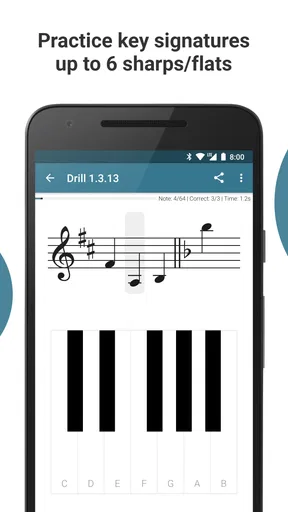
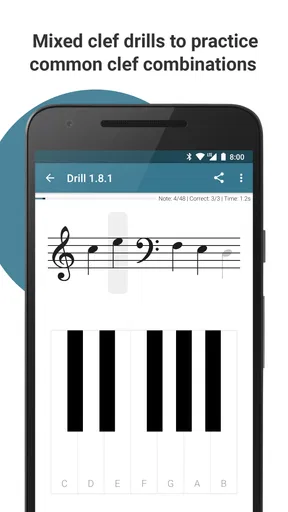
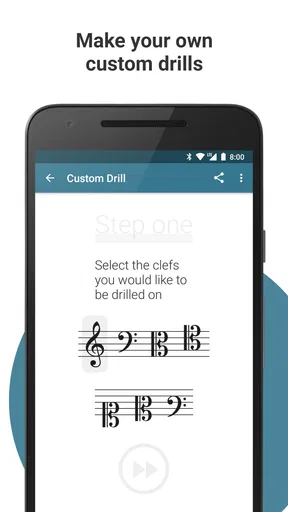
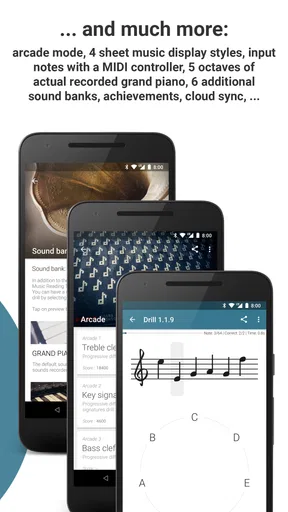
 Analysis by AppCompare
When I first opened a music-reading trainer, I wanted one clear answer: could I make sense of the notes on a page without turning every short exercise into a theory lesson? Complete Music Reading Trainer is built for that focused job. It is a music game from Binary Guilt Software, and its appeal is practice you can fit between other things rather than a replacement for lessons or an instrument.
What to expect from a focused music game
The central task is recognizing written musical information through repeated exercises. That makes the game useful if you already play by ear, have started lessons, or can manage a few notes but hesitate when reading a score. It gives you a place to work on that hesitation directly, instead of hoping it disappears while you learn songs.
I would set expectations accordingly: this is a trainer for reading, not a complete music course. It can help you build familiarity and quicker recognition, but reading practice alone will not teach you how to shape a phrase, keep time with a group, or make a piece expressive. Pairing short sessions with actual playing is a more practical route than expecting a quiz app to do everything.
The game is free to install, with optional in-app purchases priced from $0.99 to $9.99 per item. It is rated for Everyone, has an average rating of 4.6 from around 12,000 ratings, and has passed one million installs. Those figures suggest a well-established audience, but the more useful question is whether this particular kind of repetition suits the way you like to learn.
Getting Started with Complete Music Reading Trainer
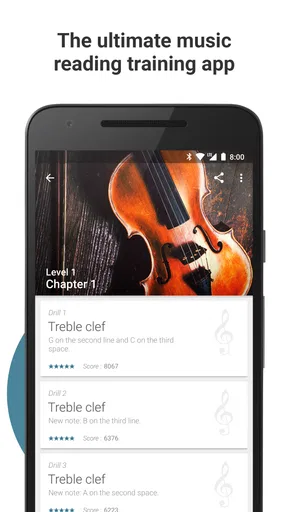
First off, downloading and setting up the Complete Music Reading Trainer was a breeze. Available on both Android and iOS, it’s a lightweight app that doesn’t hog your storage. Once installed, I was greeted with a clean and intuitive interface, which is always a plus. It doesn’t overwhelm you with unnecessary frills, focusing instead on helping you get right into the nitty-gritty of music reading.
Making the first session useful
For a first-time user, the best approach is to start with the easiest material that still makes you think. If every answer feels obvious, you are probably not getting much from the drill; if you are guessing repeatedly, the task may be too difficult to learn from comfortably. I would adjust the challenge until I can answer with attention rather than panic, then keep the first session brief enough to finish wanting another go.
A practical first success is not a high score. It is seeing a note, identifying it without having to count every line from scratch, and doing that again on the next prompt. That small change gives you a useful baseline. If you are learning an instrument, try a few rounds before practice, then look at the same notes in your lesson material. The connection between screen and paper is the point; the app is most valuable when recognition carries over.
Worth Reading Before You Choose

EA SPORTS FC Mobile 26 Is a Bigger Football Game, but It Takes Time

Flipboard Shows What News Apps Must Do Beyond the Feed

Switching to Android Auto Means Rethinking Your Driving Routine

Google Calendar Makes a Crowded Week Easier to Manage

Ludo King Makes the Most of the Minutes Between Plans

Baby Panda World Brings Quick Play to Modern Phones, but Its Game Library Feels Busy
From note names to everyday playing
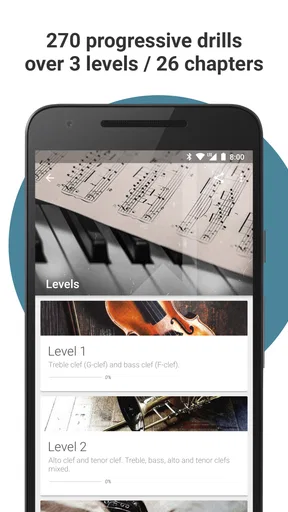
The app starts with basic note recognition and, as the published review describes, moves toward more involved material such as rhythms and intervals. The progression can make a large subject feel less intimidating, but it is worth treating each new area as a separate skill. Being able to name a note does not automatically mean you can read a rhythm fluently, so I would avoid rushing ahead just because one exercise has become easy.
One useful habit is to say the answer aloud before tapping it. That makes it harder to rely on a vague visual guess and can expose whether you actually know the note name. If you play an instrument, follow a short app session by finding a few of those notes on your instrument. This is a simple way to connect notation with sound and hand movement without turning a quick practice break into a long study block.
Complete Music Reading Trainer is a music game from Binary Guilt Software, and its focused format makes it different from a video lesson or a full theory course. A lesson can explain why a symbol works as it does; a trainer is better suited to checking whether you can recognize it repeatedly. I would use the two together if I needed explanations, and choose the app when I wanted active recall rather than another stretch of watching or reading.
Practice that fits between other commitments
The app’s practice modes, including timed quizzes and sight-reading exercises, give you different ways to approach repetition. I would use untimed practice when I am trying to understand a weak area, then try a timed exercise only when accuracy feels reasonably steady. Speed can be motivating, but it can also reward quick guessing; a slower, accurate response is a better sign that a note is becoming familiar.
For example, a beginner could do a short round while waiting for a lesson to start, note which prompts caused hesitation, and bring that specific difficulty to the teacher. Someone returning to music after a long break could use the same routine before opening an old score. The app’s immediate feedback is useful here: instead of leaving a mistake vague, I can treat it as a prompt to review that kind of reading before moving on.
How to handle difficulty and feedback
The original experience included customizable difficulty, which is helpful because a returning player and a first-week beginner should not have to approach the material in the same way. I would change one challenge at a time rather than making everything harder at once. That makes it easier to tell whether a stumble came from the note itself, a new rhythm, or the pressure of answering quickly.
The earlier review also noted occasional lag in audio feedback. If sound seems late, I would avoid judging my timing from that one response and try a quieter, less rushed session before changing how I practice. Audio delay can interrupt the feeling of a quick drill, so this is a real drawback for anyone who depends on immediate sound cues. It matters less if the main aim is visual note recognition, but it is worth keeping in mind.
Motivation, purchases, and the right expectations
Points and badges were part of the reviewed experience, and they can make regular practice feel more rewarding. I find those rewards most useful as reminders to return, not as proof that I have mastered a concept. A streak or score cannot substitute for being able to read the same material away from the screen, so I would use rewards to support a routine rather than chase them for their own sake.
Because the game is free with optional purchases, a cautious first-time user can begin without treating payment as a requirement. In-app purchases range from $0.99 to $9.99 per item, so I would first work out whether the basic practice style suits me and only consider spending if I know what extra value I want. The game runs on Android 5.0 or later, and its age rating is Everyone, making it accessible to younger learners as well as adults who want to refresh their reading.
Who will enjoy it, and who may prefer another route
I think this is a particularly good fit for self-directed learners who already have a reason to read music: a piano student preparing for a lesson, a guitarist trying to rely less on tabs, or a singer who wants to become more comfortable following written parts. It can also work for someone who has learned songs by ear and now wants a low-pressure way to build a different skill. The game gives those users a concrete task to repeat rather than an open-ended instruction to “learn theory.”
It is less suitable as a solo solution for someone who wants live coaching, ensemble practice, or detailed explanations of every musical idea. A teacher can notice posture, listening habits, and confusion that a screen-based exercise cannot address. A book or video course may be better when you need concepts explained in sequence, while playing with other people is the better choice for learning to listen and respond together. The trainer’s individual focus is convenient, but it is also a boundary.
Compared with flashcards, the app’s game format offers a more active practice loop, especially when feedback and timed tasks help keep attention on the prompt. Flashcards can be easier to tailor yourself, though, and may be enough if you only need a handful of note names. Compared with instrument-learning games, this one is more specifically about reading notation; it is not the option I would pick if my main goal were learning songs through guided performance or getting feedback on my playing.
Turning a short drill into steady progress
My preferred routine would be small and repeatable: practise one area, stop when attention starts to slip, then check whether the same skill appears in a score or lesson. If I keep missing one kind of prompt, I would stay with that material instead of treating a low result as a reason to restart everything. This avoids a common trap with drills: tapping through many questions can feel productive even when the underlying recognition has not improved.
For a busy day, a few focused minutes before instrument practice can be more realistic than waiting for a free hour. For a child, a parent or teacher could use the game as a short, structured activity, then ask the learner to find a corresponding note on a keyboard or in a printed exercise. That follow-up makes the screen task less isolated and gives the learner a chance to show what they understood without turning the activity into a test.
The game has been available since April 8, 2019, and its current version is 1.7.3-118 (121118). I would still judge it by how well its exercises fit my own instrument and learning goal, rather than assuming that longevity or popularity makes it right for everyone. It has 580 written reviews alongside its broader rating history, but personal fit matters more than any single number: some learners enjoy repeated drills, while others need a teacher or a song to keep them engaged.
Features that Hit the Right Note
The app is packed with features designed to make learning efficient and fun. You start with basic note recognition and gradually move on to more complex rhythms and intervals. It’s like having a patient music teacher in your pocket, always ready to guide you at your own pace.
One of the standout features is the customizable difficulty settings. Whether you're a complete newbie or someone brushing up on your skills, you can tweak the settings to match your level. I started with the beginner level and appreciated how it eased me in, focusing first on the fundamentals.
Practice Makes Perfect
The app employs a variety of practice modes to keep you engaged. From timed quizzes to sight-reading exercises, it’s designed to test and improve your skills in different ways. The instant feedback is incredibly helpful, showing you exactly where you went wrong and how to fix it.
What I loved most was the gamified elements. You earn points and badges as you progress, which was a great motivator for me. It’s like the app knows that a little pat on the back goes a long way!
Beyond the Basics
Once you get a handle on the basics, the app introduces more advanced concepts like scales and chords. I found the transition seamless, with each new level building upon the last. It’s structured in a way that doesn’t feel daunting, even when tackling more complex lessons.
If you’re into variety, you’re in luck. The app covers a wide range of instruments, so whether you’re into piano, guitar, or even the trombone, there’s something here for you. It’s a one-stop-shop for anyone looking to broaden their musical horizons.
What Could Be Improved?
While the app is pretty fantastic, it’s not without its quirks. Occasionally, I found the audio feedback to be a bit laggy. It didn’t happen often, but it’s something to be aware of. Also, while the app is comprehensive, it might be a bit too focused on individual learning. Some users might miss the collaborative aspects of learning music with others.
Final Thoughts
In a nutshell, the Complete Music Reading Trainer is a stellar tool for anyone looking to conquer the world of music reading. Whether you’re a budding musician or a seasoned pro, it offers a personalized learning experience that’s both comprehensive and engaging. It’s a great way to turn those intimidating music notes into friendly faces.
If you’re ready to embark on a musical journey, this app might just be your perfect companion. Happy reading!
Pros
- Comprehensive lessons for all skill levels.
- Interactive exercises enhance learning.
- Customizable practice routines.
- Tracks progress with detailed stats.
- Supports multiple instruments.
Cons
- Interface can be overwhelming at first.
- Limited offline capabilities.
- May require in-app purchases.
- Some exercises are repetitive.
- Requires initial setup time.
FAQs for Complete Music Reading Trainer
What is Complete Music Reading Trainer and who is it for?
Complete Music Reading Trainer is an educational app designed to help users improve their music reading skills. It's ideal for musicians, music students, or anyone interested in enhancing their ability to read sheet music quickly and accurately. The app offers various exercises and lessons to cater to different skill levels, from beginners to advanced musicians.
What features does Complete Music Reading Trainer offer?
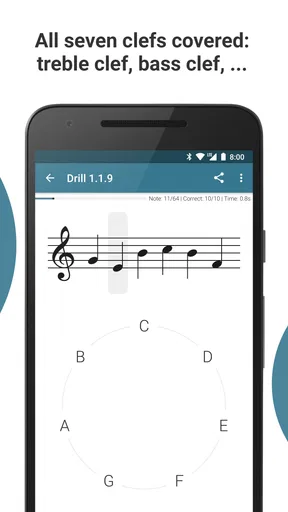
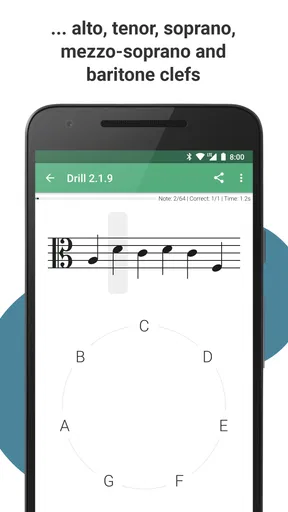
The app includes a variety of features such as customizable exercises, progress tracking, and a wide range of difficulty levels. Users can choose specific notes, clefs, and keys to focus on, allowing for personalized learning. Additionally, the app provides instant feedback and statistics to help users monitor their improvement over time.
Is Complete Music Reading Trainer suitable for beginners?
Yes, Complete Music Reading Trainer is well-suited for beginners. The app offers entry-level exercises that focus on basic note recognition and gradually progress to more complex tasks. The user-friendly interface and clear instructions make it easy for newcomers to start learning music reading at their own pace.
Does the app require an internet connection to function?
No, Complete Music Reading Trainer does not require an internet connection for its core features. Once downloaded, users can access exercises and lessons offline, making it convenient for practice anytime and anywhere. However, an internet connection may be needed for updates or additional downloadable content.
How does the app track and display user progress?
Complete Music Reading Trainer includes a robust progress tracking system. It records user performance across different exercises, showing detailed statistics such as speed, accuracy, and areas of improvement. This feature helps users identify strengths and weaknesses, allowing them to focus on specific skills that need enhancement.


